At a Glance: Time: 2–4 hours end-to-end (dataset prep + training run) · Prereqs: Python 3.10+, PyTorch 2.x,
transformers(latest),trl>=0.8,peft, a Hugging Face account · Hardware: GPU with sufficient VRAM for your chosen Qwen2.5 size; no authoritative minimum VRAM requirement is stated in the official docs for this workflow · Cost: Compute only — all libraries are open-source
At a glance: fine-tuning Qwen2.5 with TRL the right way
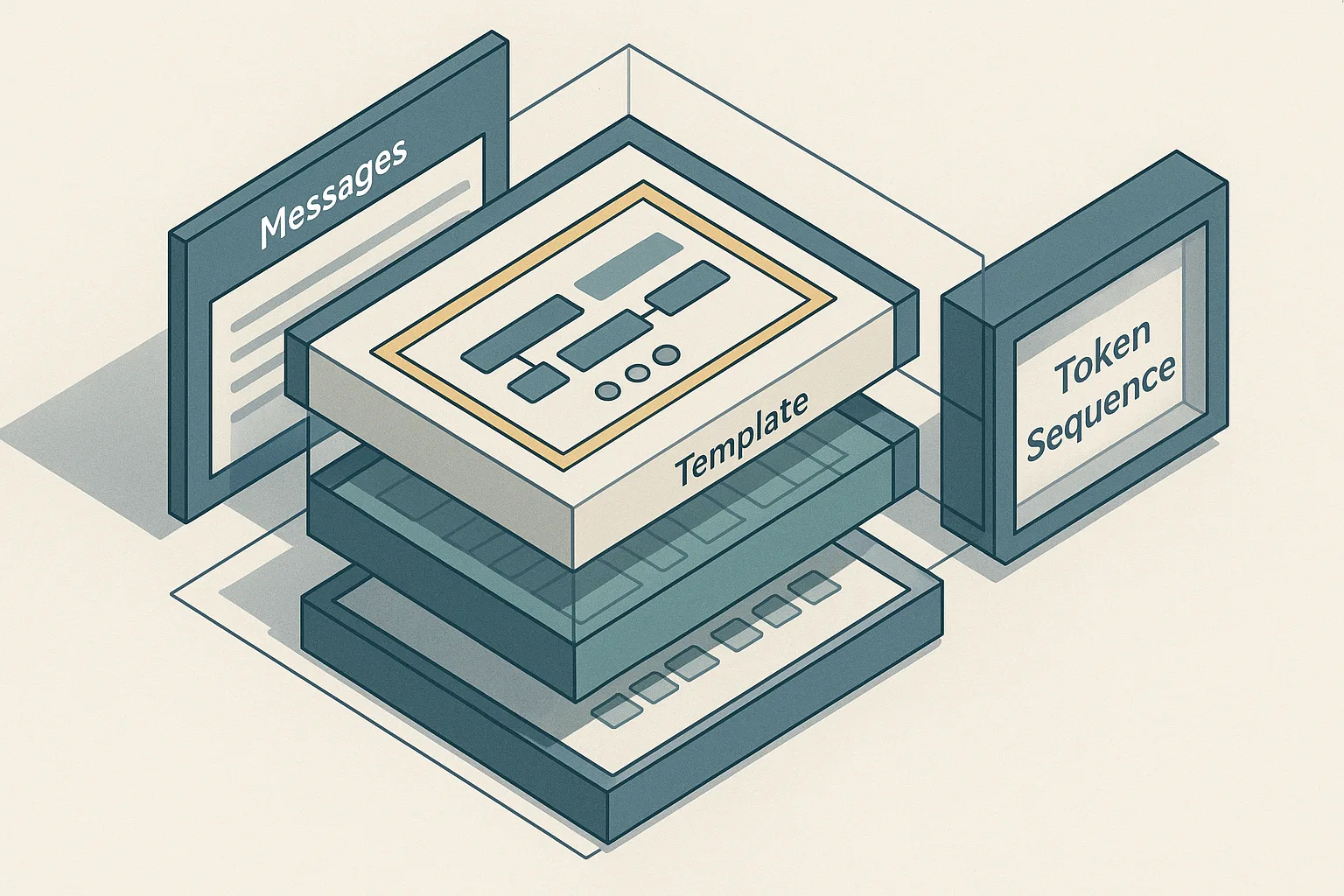
Hugging Face TRL's SFTTrainer supports three dataset shapes — standard text, prompt-completion, and conversational — and it automatically applies the model's chat template when you pass a conversational dataset. Qwen2.5 uses ChatML-style formatting, and its tokenizer expects a precise role/message structure before training and inference alike. If you feed the wrong schema, or if you apply apply_chat_template with incorrect flags, the trainer tokenizes silently but trains on the wrong token positions — producing a model that appears to converge but generates misaligned outputs.
The canonical Qwen2.5 inference flow is tokenizer.apply_chat_template(messages, add_generation_prompt=True) followed by model.generate(). The same template logic governs training. This article connects dataset format, apply_chat_template, add_generation_prompt, and PyTorch-level label masking into a single end-to-end recipe, and names every silent failure mode the top search results omit.
Prerequisites and dataset shape for SFTTrainer
SFTTrainer from the TRL library accepts three input formats: standard text (a single "text" column), prompt-completion records (a "prompt" and "completion" column), and conversational records (a "messages" column containing a list of role-content dicts). The trainer's behavior — specifically which tokens receive loss — depends entirely on which format you supply.
Install the required stack before anything else:
$ pip install --upgrade transformers trl peft datasets torch accelerate
Two facts anchor the correctness requirements here. First, TRL's SFTTrainer documentation explicitly states that when a conversational dataset is provided, the trainer automatically applies the chat template. Second, the tokenizer still performs padding-token masking regardless of dataset type — tokens with label -100 do not contribute to the cross-entropy loss. Your job before writing a single line of training code is to confirm which format your data is in and ensure it matches the schema the trainer expects.
prerequisites:
  python: "3.10+"
  pytorch: "2.x"
  transformers: "latest"
  trl: ">=0.8"
  peft: "installed"
  account: "Hugging Face account"

dataset_schema:
  conversational:
    messages:
      - role: system
        content: "You are a helpful assistant."
      - role: user
        content: "What is supervised fine-tuning?"
      - role: assistant
        content: "SFT trains a model on labeled prompt-response pairs using cross-entropy loss."
  prompt_completion:
    prompt: "<|im_start|>system\nYou are helpful.<|im_end|>\n<|im_start|>user\nWhat is SFT?<|im_end|>\n<|im_start|>assistant\n"
    completion: "SFT trains a model on labeled prompt-response pairs using cross-entropy loss.<|im_end|>"
# Conversational record — what SFTTrainer will auto-template
messages:
  - role: "system"
    content: "You are a helpful assistant."
  - role: "user"
    content: "What is supervised fine-tuning?"
  - role: "assistant"
    content: "SFT trains a model on labeled prompt-response pairs using cross-entropy loss."

# Prompt-completion record — template NOT auto-applied
prompt: "<|im_start|>system\nYou are helpful.<|im_end|>\n<|im_start|>user\nWhat is SFT?<|im_end|>\n<|im_start|>assistant\n"
completion: "SFT trains a model on labeled prompt-response pairs using cross-entropy loss.<|im_end|>"
Choose between conversational and prompt-completion records
Conversational records carry structured role/content turns; prompt-completion records are raw strings. The choice determines where the prompt/completion boundary lives in the token stream and which positions receive loss.
TRL's SFT documentation distinguishes both formats explicitly. For conversational records, the trainer applies apply_chat_template internally and handles the boundary automatically. For prompt-completion records, you own the boundary: every token in "completion" receives loss, and every token in "prompt" is masked to -100 when completion_only_loss=True. If you pre-render the full ChatML string and stuff it into "prompt", you have shifted the boundary and the trainer will mask the wrong tokens.
dataset_shapes:
  conversational:
    columns:
      - messages
    schema: "[{role: system|user|assistant, content: string}]"
    template_owner: TRL
  prompt_completion:
    columns:
      - prompt
      - completion
    schema: "prompt string + completion string"
    template_owner: "You"
# Conversational — role structure preserved, boundary is inferred by the trainer
conversational_example = {
    "messages": [
        {"role": "system", "content": "You are a domain expert in radiology."},
        {"role": "user", "content": "What does consolidation on a chest X-ray indicate?"},
        {"role": "assistant", "content": "Consolidation indicates alveolar filling, often from pneumonia, edema, or hemorrhage."},
    ]
}

# Prompt-completion — you must pre-render the prompt in the model's exact format
prompt_completion_example = {
    "prompt": "<|im_start|>system\nYou are a domain expert in radiology.<|im_end|>\n<|im_start|>user\nWhat does consolidation indicate?<|im_end|>\n<|im_start|>assistant\n",
    "completion": "Consolidation indicates alveolar filling.<|im_end|>\n",
}
For new workflows, prefer the conversational format. It pushes the template-rendering responsibility onto TRL, reduces manual boundary errors, and gives you a clean data representation that is independent of the model's raw token format.
Match the Qwen2.5 chat format before training starts
Qwen2.5-Instruct model cards show ChatML-style formatting: messages open with <|im_start|>{role}, close with <|im_end|>, and the assistant turn is left open with <|im_start|>assistant\n when generation is expected. This structure is non-negotiable: using any other delimiter or role marker produces text the model treats as arbitrary continuation rather than structured instruction.
The full canonical flow from the model card — render template, tokenize, move to device, generate — applies identically during training setup. If your conversational records use keys other than "role" and "content", the tokenizer's Jinja template will fail or skip fields silently.
qwen25_chat_schema:
  tokenizer: "Qwen/Qwen2.5-7B-Instruct"
  message_keys:
    - role
    - content
  role_order:
    - system
    - user
    - assistant
  template_tokens:
    open: "<|im_start|>"
    close: "<|im_end|>"
    generation_prompt: "<|im_start|>assistant\n"
# Minimal check: render one record before touching the trainer
from transformers import AutoTokenizer

tokenizer = AutoTokenizer.from_pretrained("Qwen/Qwen2.5-7B-Instruct")

messages = [
    {"role": "system", "content": "You are a concise assistant."},
    {"role": "user", "content": "Define cross-entropy loss."},
    {"role": "assistant", "content": "Cross-entropy measures the difference between predicted and true distributions."},
]

rendered = tokenizer.apply_chat_template(messages, tokenize=False, add_generation_prompt=False)
print(rendered)
# Expected output includes <|im_start|>system, <|im_start|>user, <|im_start|>assistant blocks
If the printed output does not show ChatML delimiters, your transformers version is outdated — Qwen2.5 model cards explicitly recommend using the latest Transformers release.
Step 1: load the tokenizer and inspect the Qwen2.5 chat template
Load the tokenizer first and confirm the rendered template before training. This step costs seconds and prevents hours of debugging.
$ python - <<'EOF'
from transformers import AutoTokenizer

tokenizer = AutoTokenizer.from_pretrained("Qwen/Qwen2.5-7B-Instruct")

# Inspect the raw Jinja template stored in the tokenizer
print(tokenizer.chat_template[:400])  # truncated for readability

# Render a minimal example without tokenizing
sample = [{"role": "user", "content": "Hello"}, {"role": "assistant", "content": "Hi"}]
print(tokenizer.apply_chat_template(sample, tokenize=False, add_generation_prompt=False))
EOF
Expected output shows the ChatML structure with <|im_start|> and <|im_end|> tokens. If you see None for chat_template, the tokenizer loaded the wrong config — verify the model ID and your transformers version (pip show transformers).
The Qwen2.5-0.5B model card and the 7B Instruct card both demonstrate apply_chat_template with add_generation_prompt=True. All size variants share the same template structure, so the inspection step applies uniformly across Qwen2.5-0.5B through Qwen2.5-72B.
Step 2: format conversational examples with apply_chat_template
apply_chat_template has two operating modes: text rendering (tokenize=False) and direct tokenization (tokenize=True). For training-time validation you use the text-rendering mode; for inference you use the tokenization mode.
The official Qwen2.5-7B-Instruct model card shows the text-rendering path as apply_chat_template(messages, tokenize=False, add_generation_prompt=True). The Qwen2.5-0.5B card shows the full tensorized path: apply_chat_template(..., add_generation_prompt=True, tokenize=True, return_dict=True, return_tensors='pt').
from transformers import AutoTokenizer

tokenizer = AutoTokenizer.from_pretrained("Qwen/Qwen2.5-7B-Instruct")

messages = [
    {"role": "system", "content": "You are a code review assistant."},
    {"role": "user", "content": "Review this function for null pointer risks."},
    {"role": "assistant", "content": "The function dereferences `ptr` before checking if it is null on line 4."},
]

# Text rendering — use this to inspect the exact string the model will see
rendered_text = tokenizer.apply_chat_template(
    messages,
    tokenize=False,
    add_generation_prompt=False,  # False here: the assistant turn is already complete
)
print(rendered_text)
The message list must preserve role order. The Qwen2.5 Jinja template enforces a specific turn structure; out-of-order roles produce malformed ChatML that the model has never seen during pretraining.
Set add_generation_prompt for assistant continuation
add_generation_prompt=True appends <|im_start|>assistant\n at the end of the rendered string, leaving the assistant turn open for the model to complete. All Qwen2.5 official examples set this flag when preparing a prompt for generation.
# For inference: leave the assistant turn open
inference_prompt = tokenizer.apply_chat_template(
    [
        {"role": "system", "content": "You are a helpful assistant."},
        {"role": "user", "content": "Explain label smoothing."},
    ],
    tokenize=False,
    add_generation_prompt=True,  # appends <|im_start|>assistant\n
)
# The model generates text from this open assistant slot
print(inference_prompt[-60:])  # should end with: <|im_start|>assistant\n
During SFT training with a conversational dataset, TRL's SFTTrainer documentation says TRL applies the template internally and handles the generation-prompt flag according to its own logic — you do not set this flag manually per-example. However, for inference after training you must set it, and for manual pre-rendering of prompt-completion records you must understand whether to include the assistant prefix in "prompt" or not.
Return tensors in the same shape SFTTrainer expects
When you pre-tokenize outside the trainer (for validation or batch inspection), return PyTorch tensors directly from the tokenizer to match the format the training loop expects.
# Tensorized path — matches the shape SFTTrainer will produce internally
model_inputs = tokenizer.apply_chat_template(
    messages,
    add_generation_prompt=True,
    tokenize=True,
    return_dict=True,      # returns a dict with input_ids and attention_mask
    return_tensors="pt",   # PyTorch tensors, not Python lists
)
# model_inputs keys: "input_ids", "attention_mask"
print(model_inputs["input_ids"].shape)   # e.g., torch.Size([1, 128])
print(model_inputs["attention_mask"].shape)
The TRL SFTTrainer documentation builds around tokenized examples at the token level. Returning Python lists instead of tensors or omitting return_dict=True creates collation mismatches when you feed pre-tokenized batches into the trainer manually.
Step 3: initialize SFTTrainer for supervised fine-tuning
Wire SFTTrainer to your dataset explicitly — do not rely on accidental defaults. The trainer's tokenization and loss path differ by input schema, and the differences are not surfaced in training logs. TRL's SFTTrainer docs cover the supported dataset formats, and the same page documents the conversational auto-templating path that fires only for "messages" examples. Because the trainer computes loss on PyTorch tensors, the schema you pass controls exactly which positions receive gradient.
from datasets import Dataset
from trl import SFTConfig, SFTTrainer
from transformers import AutoModelForCausalLM, AutoTokenizer

model_id = "Qwen/Qwen2.5-7B-Instruct"
tokenizer = AutoTokenizer.from_pretrained(model_id)
model = AutoModelForCausalLM.from_pretrained(model_id, torch_dtype="auto", device_map="auto")

# Conversational dataset — role/content structure triggers auto-templating
raw_data = [
    {
        "messages": [
            {"role": "system", "content": "You are a medical triage assistant."},
            {"role": "user", "content": "Patient reports chest pain for 2 hours."},
            {"role": "assistant", "content": "Escalate immediately. Obtain 12-lead ECG and troponin levels."},
        ]
    },
    # ... additional examples
]
dataset = Dataset.from_list(raw_data)

training_args = SFTConfig(
    output_dir="./qwen25-sft-output",
    num_train_epochs=3,
    per_device_train_batch_size=2,
    gradient_accumulation_steps=4,
    learning_rate=2e-5,
    max_seq_length=2048,
    dataset_text_field=None,  # None signals conversational format; TRL uses "messages"
    logging_steps=10,
    save_strategy="epoch",
)

trainer = SFTTrainer(
    model=model,
    args=training_args,
    train_dataset=dataset,
    processing_class=tokenizer,
)

trainer.train()
Configure the trainer for the dataset type you actually have
The TRL docs distinguish three dataset formats, and each routes through a different tokenization branch:
| Dataset type | Column shape | TRL behavior | Who renders the template |
|---|---|---|---|
| Standard text | "text" (single string) |
Tokenizes "text" directly |
You — pre-rendered |
| Prompt-completion | "prompt" + "completion" |
Concatenates, masks prompt with -100 |
You — pre-rendered |
| Conversational | "messages" (list of role/content dicts) |
Auto-applies chat template | TRL |
For prompt-completion records, completion_only_loss defaults to active when the trainer detects both columns — tokens in "prompt" are assigned label -100 and do not contribute to loss. This requires that your pre-rendered "prompt" string ends exactly where the assistant turn begins.
from datasets import Dataset
from trl import SFTConfig, SFTTrainer

standard_text_data = Dataset.from_list(
    [{"text": "<|im_start|>system\nYou are a triage assistant.<|im_end|>\n<|im_start|>user\nChest pain 2 hrs.<|im_end|>\n<|im_start|>assistant\nEscalate immediately. Obtain 12-lead ECG and troponin levels.<|im_end|>"}]
)

prompt_completion_data = Dataset.from_list(
    [{
        "prompt": "<|im_start|>system\nYou are a triage assistant.<|im_end|>\n<|im_start|>user\nChest pain 2 hrs.<|im_end|>\n<|im_start|>assistant\n",
        "completion": "Escalate immediately. Obtain 12-lead ECG and troponin levels.<|im_end|>\n",
    }]
)

conversational_data = Dataset.from_list(
    [{
        "messages": [
            {"role": "system", "content": "You are a triage assistant."},
            {"role": "user", "content": "Chest pain 2 hrs."},
            {"role": "assistant", "content": "Escalate immediately. Obtain 12-lead ECG and troponin levels."},
        ]
    }]
)

training_args = SFTConfig(output_dir="./qwen25-sft-choice", max_seq_length=512, dataset_text_field=None)
# Use standard_text_data, prompt_completion_data, or conversational_data based on the schema you actually have.
Mask padding tokens so loss is computed on the right positions
TRL's SFTTrainer documentation states that padding tokens are masked with label -100 before the cross-entropy computation, and that the trainer applies a one-token shift for next-token prediction. You do not need to implement this manually — but you must ensure the tokenizer's pad_token is set, because Qwen2.5's tokenizer may not set it by default.
# Ensure pad token is defined so padding positions can be masked
if tokenizer.pad_token is None:
    tokenizer.pad_token = tokenizer.eos_token
    # Alternatively: tokenizer.add_special_tokens({"pad_token": "<|endoftext|>"})

# Verify: labels at padding positions should be -100 in any batch the trainer produces
# The trainer handles this internally, but you can inspect it manually (see Step 4)
If pad_token is None, the tokenizer pads with eos_token implicitly, which can contaminate the label stream — the model receives gradient signal from what should be structural padding. Setting pad_token explicitly and confirming the trainer masks those positions is a one-minute check that prevents a silent loss-contamination bug.
Step 4: run training and verify the tokenization path
Launch training only after confirming the tokenization path on a single batch. The SFTTrainer performs token-level cross-entropy training with padding masked out, so any error in the template or boundary setup is invisible in the loss curve until inference quality degrades.
$ CUDA_VISIBLE_DEVICES=0 python train_qwen25_sft.py \
    --output_dir ./qwen25-sft-output \
    --num_train_epochs 3 \
    --per_device_train_batch_size 2 \
    2>&1 | tee training.log
Monitor training.log for loss and grad_norm. If loss drops quickly to near-zero in the first 50 steps and then plateaus without improving on a held-out eval set, the most probable cause is label mask misconfiguration — the model is fitting padding or prompt tokens rather than learning completions.
Check one batch before you launch the full run
Pull one batch from the trainer's dataloader and decode the labels before starting the full training loop. This single inspection catches template mismatches, boundary errors, and pad-token leakage in under a minute.
from torch.utils.data import DataLoader
from transformers import DataCollatorForSeq2Seq

# Manually construct the first batch to inspect labels
collator = DataCollatorForSeq2Seq(tokenizer, model=model, label_pad_token_id=-100)
loader = DataLoader(dataset, batch_size=2, collate_fn=collator)
batch = next(iter(loader))

input_ids = batch["input_ids"][0]
labels = batch["labels"][0]

# Decode positions where loss IS computed (label != -100)
loss_tokens = [
    tokenizer.decode([tok])
    for tok, lbl in zip(input_ids.tolist(), labels.tolist())
    if lbl != -100
]
print("Tokens contributing to loss:", loss_tokens)
# For conversational SFT, only the assistant turn tokens should appear here
Compare loss_tokens against the assistant content in your training record. If system or user tokens appear in the list, the prompt/completion boundary is wrong. If the list is empty, labels are masked everywhere — likely a template mismatch that produced all -100 labels.
Generate a sample after training with the same template flow
Use the identical apply_chat_template flow for post-training generation that you used during the batch inspection. Changing the template at inference time is the single most common cause of misdiagnosed fine-tuning failures.
from transformers import AutoModelForCausalLM, AutoTokenizer

# Load the fine-tuned weights
model = AutoModelForCausalLM.from_pretrained("./qwen25-sft-output", torch_dtype="auto", device_map="auto")
tokenizer = AutoTokenizer.from_pretrained("Qwen/Qwen2.5-7B-Instruct")

messages = [
    {"role": "system", "content": "You are a medical triage assistant."},
    {"role": "user", "content": "Patient reports chest pain for 2 hours."},
]

# Canonical inference path from the Qwen2.5 model card
model_inputs = tokenizer.apply_chat_template(
    messages,
    add_generation_prompt=True,  # appends <|im_start|>assistant\n
    tokenize=True,
    return_dict=True,
    return_tensors="pt",
).to(model.device)

output_ids = model.generate(**model_inputs, max_new_tokens=256)
# Decode only the newly generated tokens, not the prompt
new_tokens = output_ids[0][model_inputs["input_ids"].shape[1]:]
print(tokenizer.decode(new_tokens, skip_special_tokens=True))
Silent failure modes that break Qwen2.5 fine-tuning
The failure modes below are where fine-tuning runs appear to succeed — loss converges, no errors are thrown — but the resulting model generates repetitive, misaligned, or incoherent outputs. The Hugging Face blog on chat templates frames template misapplication as a silent performance killer; TRL issue discussions surface specific cases where wrong boundaries produce repetitive outputs.
Watch Out: A training run can report steadily decreasing loss and still produce a broken model. Loss convergence validates that the optimizer is working; it does not validate that the optimizer is working on the right tokens.
The three primary failure categories are: (1) wrong dataset schema → wrong template path → wrong tokens receive loss; (2) add_generation_prompt misuse during template rendering; (3) padding tokens leaking into the label stream.
When TRL auto-applies the template and when it does not
SFTTrainer automatically applies the chat template only for conversational datasets — records with a "messages" column containing role/content dicts. Standard text and prompt-completion records are not auto-templated.
Watch Out: If you pass a standard-text dataset with pre-rendered ChatML strings but set
dataset_text_field="text", TRL treats the rendered string as a raw language modeling target and computes loss over every token — including the system and user turns. For completion-only learning, this is incorrect and produces a model that hallucinates prompts.
The auto-templating behavior is confirmed in the TRL SFTTrainer docs. If you pre-render the ChatML string yourself and pass it as a "text" column, auto-templating is bypassed entirely — you own every token that receives loss.
The decision rule: use conversational format ("messages" column) when you want TRL to own template rendering; use standard text or prompt-completion format only when you have pre-rendered the exact target string and verified the loss boundary.
How wrong boundaries quietly poison alignment
When the prompt/completion boundary is wrong, the model trains to predict prompt tokens as output. TRL issue discussions document cases where users reported repetitive outputs and answer degradation traced back to boundary errors, not optimizer problems.
Watch Out: Boundary errors are not detectable by training loss alone. A model that learns to predict system prompts and user queries as if they were assistant outputs will still produce a smoothly decreasing loss curve — it is just fitting the wrong distribution.
Two specific cases to guard against in Qwen2.5 fine-tuning:
Including <|im_start|>assistant\n in the "prompt" field of a prompt-completion record. This is correct — the assistant prefix belongs in the prompt, not the completion. Placing it in "completion" makes the model train to predict its own role header as output content.
Including <|im_end|> in the "prompt" field after the assistant prefix. This is incorrect — the closing delimiter belongs in "completion". If it is in "prompt", the model never trains to terminate assistant turns, producing runaway generation at inference time.
PyTorch's cross-entropy function treats every non--100 label position as a training target. There is no guardrail between a prompt token and a completion token at the optimizer level — the boundary is entirely determined by your label mask.
When to add LoRA or PEFT on top of SFTTrainer
Full fine-tuning of Qwen2.5-7B requires loading all 7 billion parameters in trainable precision, which demands substantial GPU memory. LoRA via PEFT inserts low-rank adapter matrices into the attention projections and freezes the base weights, reducing the number of trainable parameters by roughly two orders of magnitude while preserving most of the model's capacity.
Production Note: LoRA is an efficiency choice, not a template-correctness fix. All of the chat-template and label-masking rules in this article apply identically whether you use LoRA or full fine-tuning. A LoRA run with a wrong prompt/completion boundary produces the same silent alignment failure as a full fine-tuning run with the same error.
SFTTrainer accepts a PEFT LoraConfig directly via the peft_config argument:
from peft import LoraConfig, TaskType

lora_config = LoraConfig(
    r=16,                          # rank of adapter matrices
    lora_alpha=32,                 # scaling factor
    target_modules=["q_proj", "v_proj"],  # Qwen2.5 attention projections
    lora_dropout=0.05,
    bias="none",
    task_type=TaskType.CAUSAL_LM,
)

trainer = SFTTrainer(
    model=model,
    args=training_args,
    train_dataset=dataset,
    processing_class=tokenizer,
    peft_config=lora_config,       # SFTTrainer wraps the model with PEFT internally
)
The Qwen2.5 model pages surface compatibility with vLLM and SGLang for serving after adaptation, and with quantization runtimes such as llama.cpp and Ollama. If you plan to serve the fine-tuned model with vLLM or SGLang, merge the LoRA adapter into the base weights before export — both runtimes expect a single weight checkpoint, not a base model plus adapter shards.
FAQ: Qwen2.5 chat templating and TRL SFTTrainer
Does SFTTrainer automatically apply the chat template?
Yes, but only for conversational datasets — records with a "messages" column carrying role/content dicts. The TRL docs are explicit on this point. Standard text and prompt-completion records are not auto-templated.
How do I use apply_chat_template in Qwen2.5?
Pass a list of {"role": ..., "content": ...} dicts to tokenizer.apply_chat_template(). For text rendering use tokenize=False; for inference use tokenize=True, return_dict=True, return_tensors='pt'. The Qwen2.5 model card shows both paths.
What is add_generation_prompt in apply_chat_template?
Setting add_generation_prompt=True appends <|im_start|>assistant\n to the rendered string, opening the assistant turn for generation. All official Qwen2.5 examples set this flag during inference. For training-time template inspection without an open assistant slot, use add_generation_prompt=False.
How do I stop padding tokens from affecting SFT loss?
SFTTrainer masks padding tokens with label -100 automatically, per the TRL docs. Your responsibility is to ensure tokenizer.pad_token is set to a valid token before training — if it is None, fallback padding behavior can produce labels that contribute to loss unintentionally.
Pro Tip: Use the same
tokenizer.apply_chat_templatecall for post-training generation that TRL used internally during training. Any divergence between training-time and inference-time template rendering will produce outputs that look like fine-tuning failure but are actually format mismatch. Store the exact template string alongside your model checkpoint.
Sources and references
- TRL SFTTrainer documentation — primary reference for dataset format support, auto-templating behavior, padding masking, and completion-only loss
- TRL SFTTrainer source (GitHub) — source of the docs; useful for verifying exact version-specific behavior
- Qwen2.5-7B-Instruct model card — canonical
apply_chat_templateusage, ChatML format, and generation flow - Qwen2.5-0.5B model card — demonstrates
tokenize=True, return_dict=True, return_tensors='pt'path for tensorized template output - Hugging Face chat templates blog post — background on why template misapplication is a silent performance killer
- TRL issue #3468 — community-documented prompt/completion boundary failures and repetitive output symptoms
- TRL issue #1400 — discussion of when auto-templating fires in conversational versus non-conversational schemas
- TRL SFT docs v0.27.1 — version-specific reference for
completion_only_lossdefaulting and label-100assignment
Pro Tip: When docs and model card examples differ on a flag's default behavior, test with the specific
trlandtransformersversions in your environment (pip show trl transformers) and verify against the GitHub source for that exact release tag — not themainbranch docs, which may be ahead of the PyPI release.
Keywords: Hugging Face TRL, SFTTrainer, Qwen2.5, AutoTokenizer.apply_chat_template, add_generation_prompt, prompt-completion dataset, conversational dataset, ChatML, PyTorch, LoRA, PEFT, transformers, trl docs/source/sft_trainer.md, vLLM, SGLang