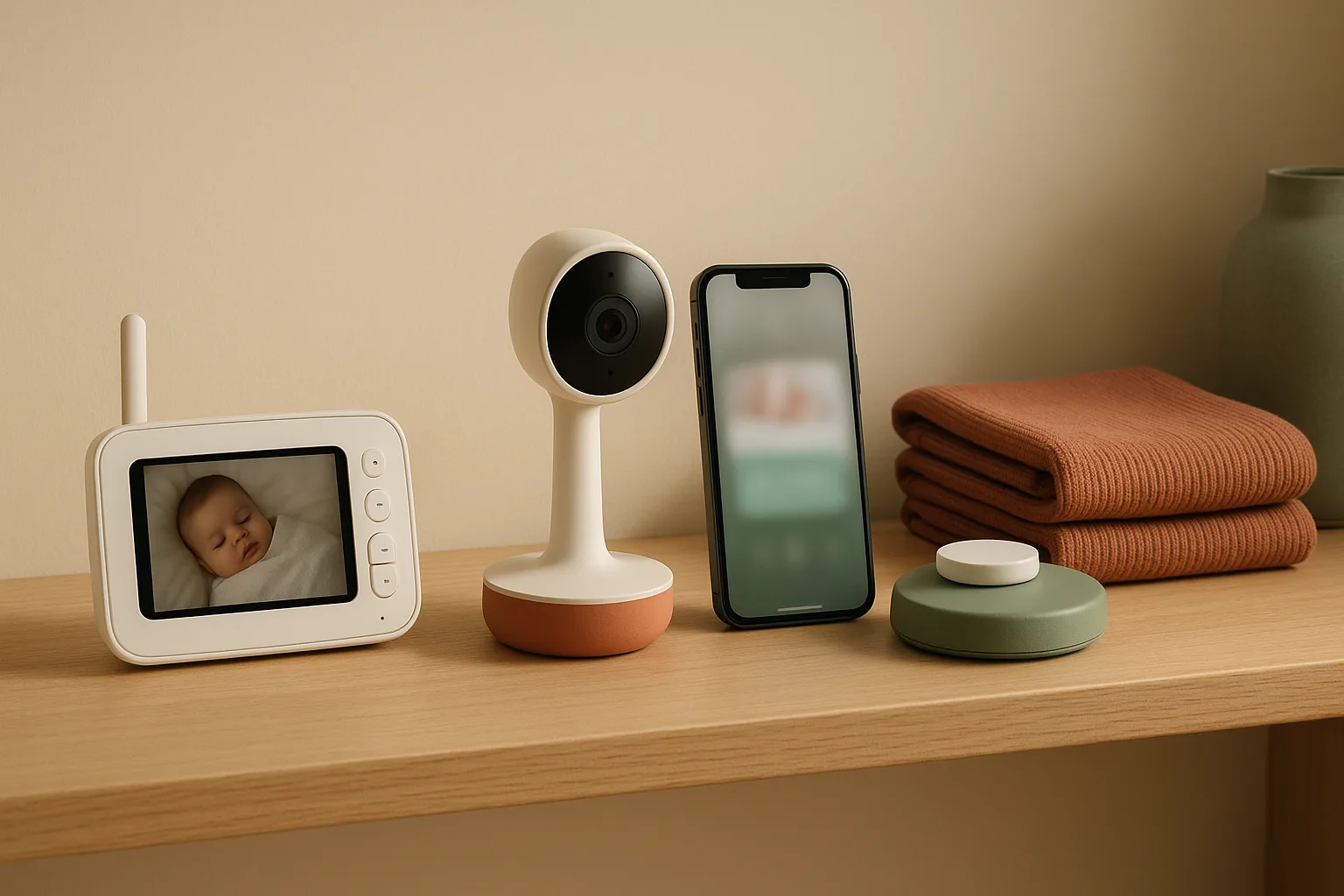
The real monitor decision isn't "video versus audio." It's whether you want a dedicated parent unit that works even when your router goes down, an app-connected camera you can check from your phone at the office, or a breathing-tracking system that adds another data layer on top of video. Each path comes with honest trade-offs around privacy, Wi-Fi dependence, and subscription friction — and the right fit depends on your nursery layout, who does night duty, and how much you trust cloud-connected baby gear in a room where your infant sleeps.
This guide separates those three categories cleanly, names the current US-available brands, explains what each product actually requires to function at 2 a.m., and answers the questions most comparison articles skip entirely.
Best baby monitor types for the nursery: video, Wi-Fi, and breathing monitors
Three product categories dominate the US smart nursery tech market right now, and they're not interchangeable.
Local-only video monitors use a dedicated parent unit — a handheld receiver with its own screen — that communicates directly with the nursery camera over a closed radio frequency. No Wi-Fi, no app, no cloud account required. The tradeoff: you can only view on that parent unit, not your phone.
Wi-Fi/app-connected monitors stream video through your home network to an app on your phone or tablet, with most also supporting remote viewing away from home. The upside is phone convenience; the downside is that they depend on your router, your internet connection, your app account, and — in some cases — a subscription for full features.
Breathing monitors add a third layer: physiological tracking through either a contact wearable (a sock-style sensor) or camera-based inference. They answer a different anxiety than "can I see my baby" — they address "is my baby breathing." Both approaches require apps and, for some features, paid plans.
Watch Out: No breathing monitor is a substitute for safe sleep practices. The category exists to give parents information and reassurance — it does not change your infant's physical environment or override the CPSC's guidelines on where babies should sleep.
How we compared baby monitors for US parents
Choosing a baby monitor without getting lost in marketing claims means evaluating the same criteria across every product, regardless of brand. Here's the framework we applied — the same one any parent doing this research carefully should use — drawn from manufacturer documentation for each US-available model covered in this guide, the kind of filtering a baby tech affiliate should do before recommending a nursery camera.
Pro Tip: This article is structured as a decision guide rather than a head-to-head ranking because model-level performance testing across all categories requires lab conditions we can't replicate from spec sheets alone. What we can do — and do — is tell you exactly what each product requires to function and where the hidden friction lives. That's what baby tech affiliate coverage usually skips.
Evaluation criteria, in order of overnight importance:
- Connectivity type: Is this a dedicated local unit, a Wi-Fi/app product, or a hybrid? Local units work without internet; Wi-Fi units don't.
- App requirements: Does the monitor require account creation to function at all? Can you view without the app?
- Subscription tiers: Is there a free tier, and what does it actually include? What lives behind a paywall?
- Battery life: Does the parent unit have a rechargeable battery? What's the manufacturer's specified runtime?
- Range: What's the claimed transmission range for local monitors? (Wi-Fi monitors depend on router coverage, not a fixed range spec.)
- Night vision: Infrared or color night vision — and how does it perform in a fully dark nursery?
- Sound sensitivity: Does the monitor have adjustable sound alerts, or does it ping you for every stir?
- US availability: We only include models verified as available in the US market with US-language manufacturer documentation.
Per Infant Optics' official product pages: "DXR-8, DXR-8 PRO, and DXR-8 PRO SS are all secure, non-WiFi video baby monitors with interchangeable lenses and remote pan-tilt-zoom." That spec-level clarity — connectivity type named, no hedging — is the standard we held every product to.
Affiliate product card: The Infant Optics DXR-8 PRO is the best fit if you want a no-app, no-subscription monitor that still gives you a 5-inch screen, 720p HD video, and interchangeable lenses.
What matters most at 2 a.m.: range, battery, and signal reliability
At 2 a.m. with a crying infant, you need three things to be true simultaneously: the monitor reaches your bedroom from the nursery, the parent unit has power, and the image is clear enough to see whether your baby is fine or needs you.
Overnight feature checklist:
- Range: For local monitors, check the claimed range against your actual floor plan — walls and floors attenuate signal. For Wi-Fi monitors, a weak router signal at the nursery end equals a frozen or pixelated feed.
- Battery life: The Infant Optics DXR-8 PRO uses an official 2800mAh li-ion battery pack. Infant Optics specifies that non-official replacement batteries void the warranty due to incorrect technical specifications — relevant if your parent unit dies at night and you're tempted to grab any compatible-looking battery.
- Screen size and resolution: The DXR-8 PRO's 5-inch screen and 720p HD video are concrete specs that affect how much you have to squint. 2K feeds on Wi-Fi monitors like the Owlet Dream Duo look sharper but depend on your upload bandwidth holding steady.
- Night vision: Look for infrared auto-activation in complete darkness. Some monitors offer color night vision with an ambient light source — useful if you keep a dim nightlight in the nursery.
- Sound sensitivity: Adjustable sound alert thresholds let you tune out normal sleep sounds without missing a real cry. Monitors that can't be adjusted tend to either wake you for nothing or miss the signal when volume is low.
Why privacy and app lock-in change the buying decision
Wi-Fi baby monitors are genuinely convenient — but they introduce a category of risk that a closed local monitor simply doesn't have. Here's what "app-connected" actually means in practice.
Account creation: Most Wi-Fi monitors require you to create an account with the manufacturer before you can view the camera at all. That account ties your video stream to a third-party server. If the company experiences a data breach, changes its privacy policy, or shuts down, your nursery footage may be affected.
Cloud access: The video feed from a Wi-Fi monitor typically routes through the manufacturer's cloud before reaching your phone — even when you're on the same home network. Truly local-network-only streaming is the exception, not the rule, so verify before buying.
Subscription friction: Some features that look standard are actually behind a paywall. The Owlet Dream Duo is clear about this split: per Owlet's official product page, "Does Dream Duo require a subscription? No subscription is required" — core live health readings, 2K HD video, sleep tracking, and real-time notifications are included. But Owlet360 — described by Owlet as "an advanced subscription feature that enhances your Dream Sock, Dream Duo and/or Cam 2 experience by providing deeper, personalized trends and data about your baby's well-being" — is a separate paid layer. Knowing which features you actually want before you buy tells you whether you need the subscription.
App lock-in: If a monitor requires its app to function and the app is discontinued or broken by an OS update, the hardware becomes a paperweight. Local monitors have no such dependency.
Watch Out: Before purchasing any Wi-Fi monitor, check whether the manufacturer offers a local-network viewing fallback. If the answer is no, your nursery camera is fully dependent on the manufacturer's server infrastructure staying online.
Best video baby monitors for parents who want no-subscription reliability
If you want to see your baby without creating a cloud account, installing an app, or worrying about your router, a local-only video monitor is the cleaner path. These baby monitor affiliate picks operate on a closed radio link between the camera and a dedicated parent-unit screen — no smartphone required, no subscription ever.
The Infant Optics DXR-8 PRO is the strongest local-only fit for no-subscription reliability because it keeps the camera feed on a dedicated screen and skips the app layer entirely.
The trade-off is obvious: you can't check your phone from the office, and you can't share the feed with a grandparent across town. But for the primary caregiver working nights in a one-story house or apartment, that trade-off is often the right one.
Infant Optics DXR-8 Pro for local viewing without Wi‑Fi
The Infant Optics DXR-8 PRO is the clearest local-monitor recommendation available in the US right now for parents who want simplicity and reliability without Wi-Fi. Infant Optics describes it as a "secure, non-WiFi video baby monitor with interchangeable lenses and remote pan-tilt-zoom" — meaning you control the camera angle from the parent unit without touching the camera physically.
What you get: A 5-inch screen, 720p HD resolution, remote pan-tilt-zoom, and an interchangeable lens system that lets you swap wide-angle, standard, and zoom optics depending on nursery layout. No app. No account. No cloud.
The battery note: Infant Optics sells an official 2800mAh li-ion replacement battery pack for the DXR-8 PRO. The company explicitly states that non-official batteries void the warranty due to incorrect technical specifications. If your parent unit's battery degrades over months of overnight use — which it will — buy the Infant Optics-branded replacement, not a third-party one.
Why local-only matters at 2 a.m.: When you're half-asleep and your router has hiccuped, a local monitor still shows you your baby. There's no login screen, no "reconnecting…" spinner, no app update required. The parent unit turns on and shows you the nursery. That reliability is what no-Wi-Fi actually buys you.
Pro Tip: The interchangeable lens system on the DXR-8 PRO is useful beyond the newborn stage — as your baby becomes mobile, you can swap to a wider lens to cover more of the crib or room without repositioning the camera.
Eufy-style split-screen picks for twins or two-camera rooms
For twins, siblings sharing a room, or any situation requiring two simultaneous camera feeds, you need a monitor that supports multi-camera input and can display both feeds at once — either split-screen or by toggling.
The Eufy SpaceView line supports multiple camera connections to a single parent unit, with a large screen that can cycle through cameras or show them in split format. It operates locally, without a subscription, with the same no-cloud reliability as the Infant Optics category — though buyers should verify current US availability and model lineup directly with Eufy, as hardware lineups update frequently.
Consumer Reports has identified local-feed split-screen monitors — like the Babysense 5" HD Split Screen Baby Monitor HD S2 — as avoiding the privacy and security issues of internet-connected models. For a shared room, that's a concrete advantage: two cameras, one screen, no cloud exposure for either feed.
Placement note for two-camera rooms: With twins in side-by-side cribs, angle each camera inward from opposite ends of the room — don't mount both from the same wall or one camera will always have partial blockage from the other crib's footboard. A corner ceiling mount or a high-shelf position on opposing walls gives you the best unobstructed coverage of both sleep surfaces simultaneously.
Pan/tilt, wall-mount, and crib placement considerations
Where and how you mount the camera matters as much as which camera you buy.
Pan/tilt: Remote pan-tilt-zoom, as offered on the Infant Optics DXR-8 PRO line, means you can reframe the shot from the parent unit — useful when a rolling baby moves toward one edge of the crib. Without pan/tilt, a fixed camera may lose your baby from frame after a few months of mobility.
Wall mount versus freestanding: A wall-mounted camera eliminates the risk of a topple and keeps cords out of reach. If you're mounting above the crib, position the camera at the end of the crib (not directly above) to see the baby's face clearly and to keep any mounting hardware well outside the crib structure.
Cord safety: This is where CPSC safe sleep guidance applies directly to monitor placement. The CPSC says "Don't leave your baby unsupervised in products that aren't designed for safe sleeping" — and separately, the agency's infant sleep product guidance prohibits sleep surfaces with an angle exceeding 10°. Camera cords hanging within reach of the crib are a strangulation hazard. Route all cords behind walls or through cord covers, and verify no cable can reach the crib from its mounted position.
Watch Out: Never mount a camera directly above a baby's head using a hook or shelf that isn't rated for the camera's weight. A dropped camera into a crib is a serious injury risk. Use manufacturer-specified mounts and verify wall anchoring before the camera goes live.
Best Wi-Fi baby monitors for remote viewing on a phone
If remote access matters to you — checking the nursery from the kitchen, the office, or a grandparent's house — then Wi-Fi is the right category, and the smart nursery tech options here have gotten considerably more capable in the last two years. The buyer's job is to match the features you'll actually use against what's free versus paywalled, and to plan for what happens when the Wi-Fi goes down.
Three US-available brands dominate this category with manufacturer documentation verifiable right now: Nanit, Owlet, and Miku. Each operates through a dedicated app. Each requires account creation. And each has different subscription logic.
| Monitor | Subscription required? | Breathing tracking? | Video resolution |
|---|---|---|---|
| Nanit Pro | App-connected; subscription for some features | Breathing wear add-on | Verify at nanit.com |
| Owlet Dream Duo | No (core features free; Owlet360 is paid add-on) | FDA-cleared pulse ox (wearable) | 2K HD |
| Miku Pro | App required; check mikucare.com for plan details | Contact-free (camera-based) | Verify at mikucare.com |
Pro Tip: Before buying any Wi-Fi monitor, download its app and attempt account creation on your current phone OS. Some apps have OS version dependencies that create unexpected friction — better to find out before you're home with a newborn.
Nanit Pro app features, subscription tiers, and smart nursery extras
The Nanit Pro Camera is a connected smart nursery monitor sold in the US market as part of Nanit's app-connected ecosystem. It's aimed squarely at parents who want sleep analytics, trend tracking, and phone-based viewing — not just a video feed.
What the app connection means in practice: The Nanit Pro streams through the Nanit app. Core viewing — seeing and hearing your baby in real time — is available through the app. Nanit also offers analytics features around that core feed, but exact plan benefits and pricing should be verified directly on nanit.com before purchase.
Is Nanit worth it without a subscription? Based on current manufacturer positioning, the Nanit Pro supports live video monitoring without a paid plan, while additional sleep-analysis and history features may sit behind subscription tiers. If your primary goal is simply "see my baby on my phone," you may not need the subscription. If you want weeks of sleep data and pattern analysis, the paid plan is where that typically lives. Check nanit.com for current plan details, as these update more frequently than hardware prices.
Nursery extras: Nanit sells a breathing wear band — a separate accessory — that works with the camera to add breathing motion tracking without a separate wearable device like a sock. If breathing monitoring is your goal, verify whether you need the camera plus the breathing wear or whether the camera alone provides the tracking level you want.
Watch Out: If you travel often and plan to use Nanit away from home, confirm that multi-home or travel setup doesn't require re-pairing the camera each time. Some Wi-Fi monitors assume a fixed home network and create login friction when the network changes.
Miku Pro breathing-style monitoring without a wearable
The Miku Pro Smart Baby Monitor takes a different approach than every other monitor in this guide: it tracks breathing without touching your baby. No sock, no band — the monitor uses its proprietary SensorFusion technology to detect breathing motion through the camera itself.
Per Miku's official specs page: "The Miku Smart Baby monitor offers contact-free operation, local quad-core processing, real-time alerts, SensorFusion technology, breathing monitoring, temperature sensor, humidity sensor, sound and motion detection, sleep analytics and reports, dual speakers and two-way talk."
The "local quad-core processing" detail matters: Miku does some of its processing on-device rather than purely in the cloud, which is a meaningful architectural distinction from monitors that route everything through external servers. That said, Miku still requires app connectivity for its full feature set — alerts, analytics, and remote viewing all run through the app.
What Miku does and does not prove: Miku's contact-free breathing monitoring tells you the monitor has detected breathing motion. It does not diagnose medical conditions, does not replace a medical-grade apnea monitor, and does not change CPSC safe sleep requirements. It's a reassurance tool — a sophisticated one, but a tool.
App dependence: Miku requires app setup and an account to function. Verify current subscription details at mikucare.com, as plan structures in this category change periodically.
Wi-Fi outage, router, and login failure backup plans
Every Wi-Fi monitor has the same Achilles' heel: your home network. If your router reboots at 3 a.m., your internet provider has an outage, or an app update breaks the connection, you're looking at a frozen screen or no connection at all — right when you need it most.
Failure-mode checklist:
- Local fallback: Do you have a non-Wi-Fi backup? Parents who rely solely on a Wi-Fi monitor should consider keeping a basic audio monitor — even a $25 VTech like the VTech DM221 — plugged in as a redundancy layer. It sounds low-tech, but it works in a blackout.
- Router reboot plan: Know your router's reboot time. Most restart in 60–90 seconds. Most Wi-Fi monitors will auto-reconnect afterward — but verify that your specific monitor does before you're counting on it.
- App login failure: If the manufacturer's authentication server goes down (which happens, even with well-funded companies), app-connected monitors may require re-login before you can view. Store your login credentials somewhere other than your phone's autofill.
- Offline use limits: Nanit, Owlet, and Miku all require app-connected operation for their core smart features. None of these monitors functions fully without network connectivity — this is a hard constraint of the product category, not a bug.
- Local-monitor alternative: The Infant Optics DXR-8 PRO operates entirely without Wi-Fi or router dependency. If network reliability in your home is uncertain, a local-only unit is the more resilient overnight choice.
Best breathing monitors and what they can and cannot do
Breathing monitors occupy a specific emotional niche: they exist for the 3 a.m. fear that your baby has simply stopped breathing without a sound. That anxiety is real, especially in the newborn stage, and these products are designed to address it directly.
But buyers need to be clear-eyed about the CPSC's position on this category. Per the CPSC's SafeSleep guidelines: "Don't leave your baby unsupervised in products that aren't designed for safe sleeping." The agency also specifies that infant sleep products must not have a sleep surface angle exceeding 10°. These rules govern the sleep environment, and no breathing monitor changes them.
Watch Out: A breathing monitor is a monitoring tool — it gives you information. It does not reduce the risk of SIDS, it does not replace placing your baby on their back on a firm, flat, bare sleep surface, and it does not satisfy CPSC safe sleep requirements. The American Academy of Pediatrics makes the same point: safe sleep environment first, monitoring second.
Owlet Dream Duo and sensor-based breathing monitoring
The Owlet Dream Duo combines 2K HD video monitoring with FDA-cleared pulse oximetry tracking — the same technology used in hospital settings to measure blood oxygen levels and heart rate. This is wearable sensing: a Smart Sock attaches to your baby's foot and transmits data to the Owlet Dream App in real time.
What you get in the box: FDA-cleared pulse oximetry tracking, 2K HD video, cry detection, two-way talk, room temperature and humidity sensors, and real-time notifications through the Owlet Dream App. No subscription required for those core features — Owlet is explicit about this. The optional Owlet360 plan adds "deeper, personalized trends and data about your baby's well-being," but it's a choice, not a requirement.
Wearable versus camera-based sensing: The Owlet Dream Duo measures pulse ox directly from your baby's skin. The Miku Pro infers breathing from movement patterns captured by its camera. These are fundamentally different methods: one is physiological measurement, the other is motion inference. Neither is a medical-grade diagnostic device; both are consumer monitoring products. The Owlet's FDA clearance for pulse oximetry is a meaningful regulatory distinction — it means the oximetry component met a clinical accuracy standard — but it doesn't mean the device functions as a clinical apnea monitor.
Subscription reality check: The Dream Duo's core feature set is subscription-free. If you want trend-over-time analysis and deeper data reports, Owlet360 is the add-on. Verify current pricing at owletcare.com.
When breathing monitors make sense for NICU grads and anxious parents
Breathing monitors aren't for everyone, and paying $200–$400 for one when a standard video monitor would actually serve your needs is a real cost to avoid. Here's the honest use-case filter.
Parents most likely to find the investment worthwhile:
- NICU graduates: Babies who spent time in the NICU often come home with parents who have spent weeks watching medical-grade monitoring. A consumer breathing monitor won't replicate NICU monitoring — but for families whose anxiety is shaped by a medically complicated start, the additional data layer can meaningfully reduce nighttime anxiety. Check with your NICU team on whether a specific product is appropriate for your baby's situation.
- Parents with severe newborn anxiety: If the fear of SIDS is significantly affecting your sleep quality in the early weeks, a breathing monitor gives you something concrete to respond to rather than just worrying. That's a real benefit, even if the monitor doesn't reduce statistical risk.
- Room-sharing situations: When the baby isn't in your direct line of sight — even across a room — a breathing alert system gives you an audio/app cue without requiring you to physically check every 30 minutes.
Use cases where a standard video monitor is enough:
- Parents who will consistently room-share through the newborn stage
- Families in small apartments where the nursery is steps away
- Parents who are already practicing safe sleep reliably and want primarily a visual check
Watch Out: CPSC safe sleep requirements still apply regardless of what monitor you use. No breathing monitor product changes the fundamental guidance: back to sleep, on a firm flat surface, in a bare crib or bassinet.
Nursery buying notes that matter more than brand names
The single most common baby monitor buying mistake is optimizing for brand recognition instead of nursery fit. The features that determine whether a monitor actually serves you are almost always the secondary specs — the ones that don't make the box.
Consumer Reports has noted that local-feed monitors avoid the privacy and security issues of internet-connected models — a point worth weighing carefully against the convenience of phone-based viewing.
Whole-nursery checklist:
- Sound sensitivity settings: Adjustable or fixed? Critical for avoiding false alarms.
- Battery life and replacement: Is the parent unit battery user-replaceable? What's the runtime?
- Range and signal: Does it reach your bedroom? Does it handle your home's wall construction?
- Multi-kid support: Does the monitor support multiple cameras to one parent unit?
- Split-screen capability: Can you see two cameras simultaneously, or only toggle?
- Placement flexibility: Does it support wall mount, shelf, and crib-rail positioning?
- Temperature alerts: Does the monitor alert you to nursery temperature changes overnight?
Regarding wireless frequency, verify the actual transmission spec in the manufacturer's documentation instead of assuming a band from marketing copy, because that detail varies by model and is easy to get wrong.
Regarding JPMA certification, verify certification status directly with the manufacturer or JPMA for any specific model rather than assuming a monitor has third-party testing.
Sound sensitivity, room noise, and false alarm settings
A monitor that wakes you for every stir, sneeze, or white-noise level variation is worse than useless — it trains you to ignore the alerts. Sound sensitivity is one of the most practically important specs to verify before buying, and it's one of the least prominently marketed.
The Miku Pro's specs page confirms sound detection and real-time alerts as core features — but the degree of user control over sensitivity thresholds varies by product and firmware version. The Owlet Dream Duo includes cry detection and real-time notifications, which implies some level of sound-event classification rather than raw decibel alerting.
Practical sound settings to look for:
- Adjustable alert threshold: You want to set the sound sensitivity level so ambient nursery noise (humidifier, white noise machine) doesn't trigger an alert, but a real cry does.
- Cry detection versus volume detection: Some monitors distinguish a cry from background noise; others simply alert above a volume threshold. Cry-classification is more sophisticated and generates fewer false alerts.
- VOX mode: Many local monitors use VOX (voice-activated transmission), where the parent unit stays quiet until the nursery crosses a sound threshold — saving battery and preventing continuous white-noise broadcast to your bedroom.
- Alert delay: A short delay before alerting can filter out brief sleep sounds that self-resolve without your intervention.
Split-screen for siblings, toddler beds, and shared rooms
When the nursery becomes a shared room — a new baby plus a toddler, or twins from the start — a single-camera monitor stops covering the room.
The split-screen monitor category solves this with two simultaneous camera feeds displayed on one parent-unit screen. Consumer Reports references the Babysense 5" HD Split Screen Baby Monitor HD S2 as a local-feed split-screen option that avoids internet-connected privacy issues. That's the right category for a shared room if privacy is a concern.
Split-screen buying notes:
- Verify the monitor supports simultaneous display, not just camera-toggling. Some "multi-camera" monitors alternate between feeds rather than showing both at once.
- Check maximum camera count — most parent units support 2 or 4 cameras total, not unlimited expansion.
- For Wi-Fi multi-camera setups (Nanit, for example, supports multiple cameras through the app), verify whether you can view multiple feeds simultaneously on one phone screen or only one at a time.
- With a toddler and infant in the same room, position the toddler's camera lower (to catch bed-exit behavior) and the infant's camera at standard crib height.
Battery life, temperature alerts, and long-range use cases
For larger homes — multiple floors, a nursery at the far end of the house — range and battery become the practical limiting factors.
Temperature alerts: Both the Owlet Dream Duo and the Miku Pro include room temperature and humidity sensors. Overnight nursery temperature monitoring matters practically: the AAP recommends keeping the sleep room between 68–72°F to reduce overheating risk, and a temperature alert that pings you before the room gets too warm or too cold is a meaningful feature in regions with variable HVAC performance.
Battery guidance:
- For local monitors: Infant Optics offers a specific 2800mAh replacement battery for the DXR-8 PRO — use the official part. Third-party batteries void the warranty and may perform inconsistently overnight.
- For Wi-Fi monitors: Parent units (if they exist) vary by product. Many app-based monitors use only a phone as the viewer, so the monitor camera is always plugged into the wall and battery is only relevant for a dedicated parent unit, if included.
Range for local monitors: Manufacturer range specifications are almost always measured line-of-sight in open space — not through walls, floors, and baby-proofed furniture. If your nursery is directly below or above your bedroom with one floor between you, real-world range is typically shorter than the spec. When in doubt, buy a model with a higher specified range than you think you need, or choose a Wi-Fi monitor where range is irrelevant.
Which baby monitor is best for your nursery setup?
The answer depends on three variables: how much you trust cloud-connected devices in a nursery, whether you need phone access away from home, and whether breathing tracking addresses a genuine need or adds cost and complexity you don't need.
Decision matrix:
| Your situation | Best monitor type | Example to consider |
|---|---|---|
| Privacy-first, simple overnight monitoring | Local-only video | Infant Optics DXR-8 PRO |
| Remote viewing from another room or work | Wi-Fi/app monitor | Nanit Pro, Owlet Dream Duo |
| Newborn anxiety, NICU history | Breathing + video combo | Owlet Dream Duo, Miku Pro |
| Twins or shared room | Split-screen local or multi-cam Wi-Fi | Babysense HD S2, Eufy SpaceView |
| Travel, grandparent access | Wi-Fi monitor with guest access | Owlet Dream Duo, Nanit Pro |
This baby monitor affiliate guide focuses on verified feature sets rather than head-to-head lab testing — so treat the matrix as a starting framework, not a definitive ranking. Match the column to your situation, then verify current pricing and feature tiers directly with the manufacturer before buying.
Best for privacy-first parents
If you don't want cloud dependence, account creation, or a third party streaming video of your nursery, the answer is a local-only monitor. Per Infant Optics, the DXR-8, DXR-8 PRO, and DXR-8 PRO SS are "secure, non-WiFi video baby monitors" — the signal stays between the camera and the parent unit. No router, no server, no account.
The trade-off is real: local-only means local-only. You cannot check your phone from the garage, and you cannot share the feed with another caregiver remotely. If that trade-off is acceptable — and for many families it genuinely is — this is the cleanest path.
Best for travel, grandparents, and remote check-ins
App-connected monitors — Nanit Pro or Owlet Dream Duo — handle remote access by design. The Owlet Dream Duo pushes real-time notifications through the Owlet Dream App and streams 2K HD video, with no subscription required for core access.
Caveat for grandparent sharing: Most Wi-Fi monitors allow secondary users through app account sharing — but check the process before gifting the setup. Some require the secondary user to create their own account; some share access through a family-invite feature. The smoother the sharing setup, the more useful it is for grandparents who may be less comfortable navigating app interfaces at midnight. Also verify whether Owlet360 features — the paid analytics layer — are shared with secondary users or only available to the primary account holder.
Best for newborn reassurance versus long-term nursery use
Breathing monitors serve the newborn stage well. The Owlet Dream Duo's FDA-cleared pulse oximetry tracking and the Miku Pro's contact-free SensorFusion monitoring both address the specific anxiety of the first three to six months, when SIDS risk is statistically highest.
But wearable sensors — like the Owlet Smart Sock — have a size range. As your baby grows, the sock eventually no longer fits, and you transition to a camera-only monitor for the toddler stage. Camera-based systems like the Miku Pro and standard video monitors like the Infant Optics DXR-8 PRO scale further into toddlerhood without an accessory cutoff.
If you're buying for the full nursery-to-toddler arc and want to avoid buying twice, a camera-based smart nursery monitor — or a solid local video monitor — may serve longer than a wearable-dependent system. Verify age and weight ranges for any wearable component directly from the manufacturer before purchase.
FAQ about baby monitors, Wi-Fi, and breathing tracking
What is the best baby monitor for twins?
A split-screen monitor — one that displays two camera feeds simultaneously on a single parent unit — is the most practical solution for twins. Look for local-feed split-screen monitors like the Babysense 5" HD Split Screen Baby Monitor HD S2 (avoids cloud exposure) or Wi-Fi systems that support true simultaneous multi-camera viewing on one app screen. Confirm "split-screen" means both feeds show at once, not just quick-toggling between them.
Are Wi-Fi baby monitors safe and secure?
Wi-Fi monitors introduce security considerations that local monitors don't: cloud routing, account credentials, and manufacturer server dependency. The risk isn't theoretical — connected cameras have been accessed by unauthorized parties in documented cases. Mitigate by using a strong, unique password for your monitor account, enabling two-factor authentication if the app supports it, keeping camera firmware updated, and placing the camera on a separate IoT network if your router supports guest networks. Local-only monitors like the Infant Optics DXR-8 PRO avoid these risks by design, since they don't connect to the internet at all.
Do breathing monitors replace safe sleep practices?
No — and this is not a technicality. The CPSC states explicitly: "Don't leave your baby unsupervised in products that aren't designed for safe sleeping." Breathing monitors are informational tools. They do not reduce SIDS risk, they do not replace placing a baby on their back on a firm, flat, bare sleep surface, and they do not change CPSC or AAP safe sleep recommendations. Use safe sleep practices first, monitoring second.
Do you need Wi-Fi for a baby monitor?
No. Local-only monitors — like the Infant Optics DXR-8 PRO line — operate entirely over a closed radio link between the camera and a dedicated parent unit. No Wi-Fi, no router, no internet connection required. Wi-Fi monitors need your home network for in-home viewing and your internet connection for remote viewing. If your home Wi-Fi is unreliable, a local monitor is the more resilient overnight choice.
Is Nanit worth it without a subscription?
The Nanit Pro Camera delivers live video monitoring through the Nanit app without a paid plan. The subscription unlocks sleep trend analysis, video history, and deeper analytics. Whether that's "worth it" depends on what you actually use: if you want to see your baby on your phone, the free tier works. If you want weeks of sleep data and personalized pattern tracking, you need the paid plan. Check current plan pricing at nanit.com before buying — subscription tiers and pricing change more frequently than hardware.
Sources & References
- Babylist — Best Baby Monitors & Nursery Smart Tech — Babylist editorial ecosystem showing category structure for US baby monitor buying
- Infant Optics DXR-8 PRO Full Kit — Official product specs: 5-inch screen, 720p HD, interchangeable lens system
- Infant Optics DXR-8 PRO Product Category — Official confirmation of non-WiFi, secure, pan-tilt-zoom design
- Infant Optics DXR-8 PRO Rechargeable Battery — Official 2800mAh replacement battery; non-official batteries void warranty
- Owlet Dream Duo Product Page — FDA-cleared pulse oximetry, 2K HD, cry detection, temperature/humidity sensors
- Owlet Winter Ready Bundle — FAQ — Official confirmation: "Does Dream Duo require a subscription? No subscription is required."
- Owlet360 Subscription Page — Optional paid analytics layer for Dream Duo and Dream Sock
- Miku Pro Smart Baby Monitor — Contact-free SensorFusion breathing and sleep monitoring
- Miku Pro Specs Page — Full spec list: contact-free breathing monitoring, quad-core local processing, temperature, humidity, two-way talk
- Nanit Pro Camera (US) — App-connected baby monitor sold in the US market
- CPSC SafeSleep Guidelines — CPSC safe sleep guidance including supervised product use and surface requirements
- CPSC Infant Sleep Products Guidance — 10° sleep surface angle limit for infant sleep products
- Consumer Reports — Baby Product Deals — Reference to Babysense HD S2 split-screen local monitor avoiding internet-connected privacy issues
Keywords: Nanit Pro, Owlet Dream Duo, Miku Pro Smart Baby Monitor, Infant Optics DXR-8 Pro, VTech DM221, Eufy SpaceView, Motorola baby monitor, Wi-Fi baby monitor, local-only baby monitor, split-screen monitor, pan/tilt/zoom camera, breathing tracking, 2.4 GHz wireless, CPSC safe sleep guidelines, JPMA certification